
HPE Networking SSE Agent Language Support
The HPE Networking SSE Agent supports multiple languages for its user interface and internal login messages. The language can be changed at any time from within the Agent UI.
When the Agent language is changed, the following elements are translated:
- Main UI labels, navigation, and menus.
- Tooltips and in‑product guidance.
- Inline notifications and error messages controlled by the Agent.
- Internal login flow messages that are displayed by the Agent.
The following elements are note translated and my remain in the default language:
- Debug or developer menus.
- Some operating system tray or menu‑bar entries, depending on platform.
- Administrator or portal configuration pages.
- Third‑party identity provider (IdP) login pages.
- Application UIs for the protected apps you access.
Changing the HPE Networking SSE Agent Language
To change the HPE Networking SSE Agent language, complete the following steps:
-
Ensure that the Agent is installed and you have access to the Agent UI. For more information, see Atmos Agent Installation.
-
Open the HPE Networking SSE Agent, and log in. For more information, see Logging in to the Atmos Agent.
-
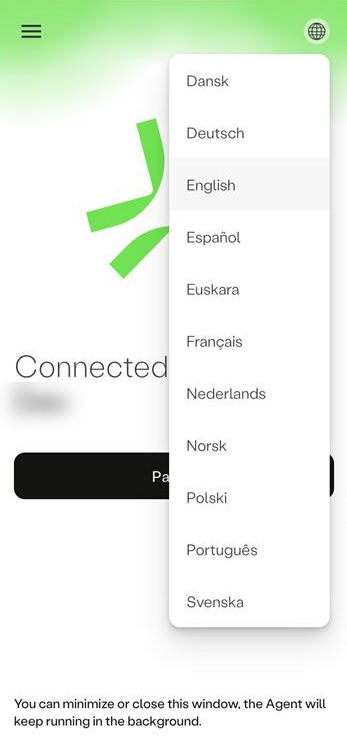
Click the globe icon at the top-right corner of the Agent UI.
-
Select the required language.
Updated about 8 hours ago
Did this page help you?