
Configuring HPE Networking SSE Agent Always On
To configure the Agent Always On feature, complete the following steps:
-
In the management console, go to the Settings -> Agent Settings page.
-
In the Agent Always On section, click Edit.
-
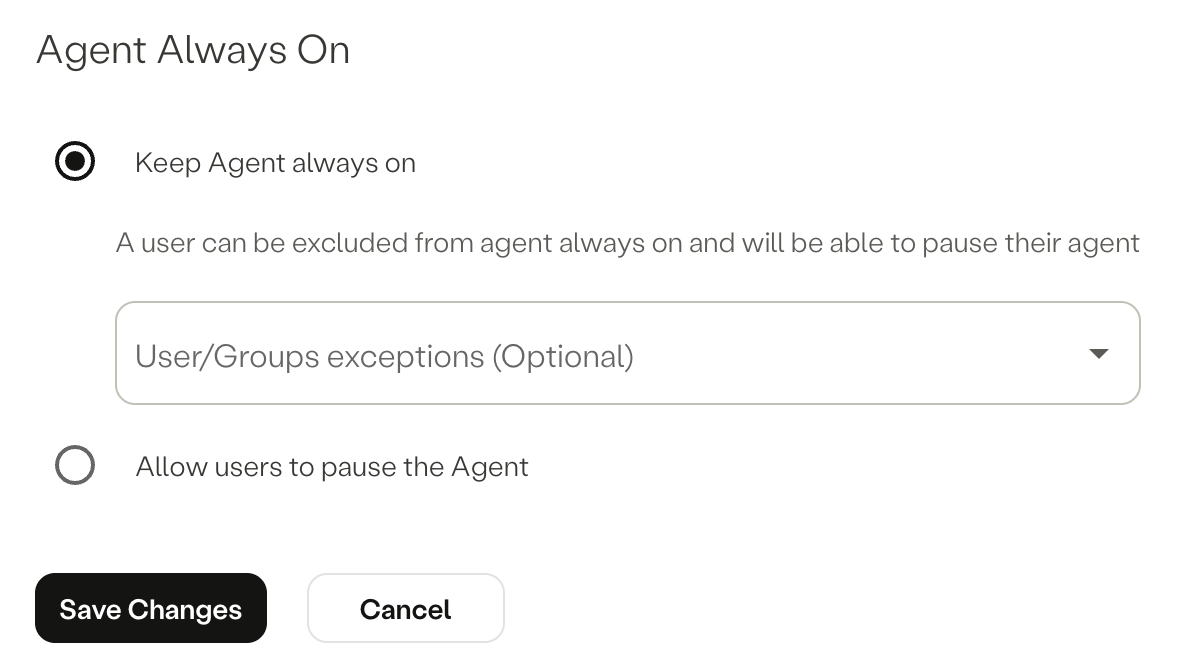
Select one of the following:
- Keep Agent always on—Users cannot pause, quit, or logout from the agent UI unless they are allowed through the exceptions list.
- Allow users to pause the Agent—Users can pause or quit the agent UI unless they are restricted through the exceptions list.
To add users or user groups to the exceptions list, select a user or a user group from the User/Group exceptions (Option) drop-down menu, corresponding to the selected option.
The effective status per agent is displayed under Agent Always On column in the the Settings -> Enrolled Agents page. For more information, see Enrolled Agent Management.
Note:
- Changes are not always instantaneous. The agent periodically refreshes configuration, resulting in the updates to take a few minutes to be applied.
- If you had Agent Always On enabled prior to version 4.8 and you had static user or group
exceptions configured you must open a support ticket to migrate and merge these exceptions into the Management Console configuration.
Updated about 9 hours ago
What’s Next
Verify the effective status per agent under the Enrolled Agents page.
For more information, see the following section:
Did this page help you?